
- CADian Viewer
- CADian ARCH
- CADian Architectural
- CADian MECH
- CADian ElectCAD
- Support
- Contact CADian
- Back
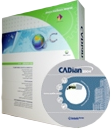
Current Version: CADian 2010 Patch 3.09 (25-August-2010)
CADian Global's CADian 2010

Major Functions of CADian
| 1. | Unrivaled Autodesk AutoCAD compatibility |
| CADian's native file format is .DWG, so when you open an existing Autodesk AutoCAD file (R11 to R2010/2011) there's no file conversion and no data loss. CADian also provides a high degree of compatibility with the AutoCAD command set, as well as AutoLISP and ADS. That means you can get to work immediately using the AutoCAD files, commands and applications you rely on. |
| 2. | Exceptional productivity |
| CADian offers smooth Microsoft Windows integration plus many unique productivity features, including the ability to open multiple drawings at once; a Drawing Explorer that lets you review and exchange drawing content with drag-and-drop ease; and visual customization of menus and toolbars -- no programming required! And thanks to its ActiveX integration, you can insert CADian drawings (or just parts of them) into a Microsoft Office application file or a Visio 2000 Technical Edition schematic. |
| 3. | Affordability |
For the first time ever, you can buy a heavy-duty CAD program that's compatible with the .DWG file format and AutoCAD applications at mass-market pricing. Other feature-rich, low-cost CAD programs have tried to create their own standard as opposed to leveraging the existing .DWG standard. CADian's low price makes it affordable to anyone who creates and uses .DWG files. |
| 4. | Productivity Features |
 READ MORE READ MORE |
| 5. | Comparing CADian 2010 with AutoCAD R2004/2008 and AutoCAD R14 |
| READ MORE |

Copyright © CADian Global. All right reserved.
© SRD Computing & Engineering Co., Ltd.
Compiled by Andy P.H. Lam